Google AdSense API with YouTube data inside an Android application
Integrating AdSense API & YouTube into an Android App (Java)
Overview: This guide explains how to integrate the Google AdSense API with YouTube data inside an Android application using Java and the Google API Client.
Google AdSense provides monetization data for YouTube channels, while the YouTube Data API allows access to channel and video information. When combined, developers can display revenue-related insights directly inside an Android app.
Requirements
- Android Studio with Java support
- Google Cloud Console project
- Enabled AdSense Management API
- Enabled YouTube Data API v3
- Google API Client Library for Java
API Setup
Create a project in Google Cloud Console and enable both the AdSense Management API and YouTube Data API v3. OAuth 2.0 credentials are required because AdSense data is private.
Use OAuth 2.0 authentication. API keys alone will not work for AdSense access.
Authentication Flow
- User signs in with a Google account
- OAuth consent screen is displayed
- Access token is granted
- App uses token to request AdSense and YouTube data
Using Google API Client in Android
The Google API Client Library for Java simplifies API requests, response parsing, and authorization handling. It allows secure communication with Google services directly from your Android app.
Displaying AdSense Data
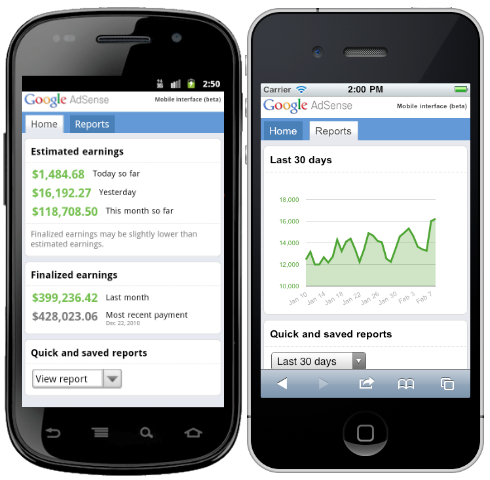
Retrieved AdSense data can be used to display estimated earnings, performance metrics, and reports associated with the linked YouTube channel.
Security Notice: Never expose client secrets or access tokens. Always follow Google API usage policies and user data protection guidelines.
Conclusion
Integrating the AdSense API with YouTube in an Android app allows creators to monitor monetization performance in real time. With proper authentication and secure implementation, this integration provides valuable insights while respecting Google’s platform policies.